Top 10 ServiceM8 Alternatives for HVAC in 2026 to Improve Workflow
The 10 best ServiceM8 alternatives for HVAC in 2026, including Android-friendly apps, with verified pricing, pros and cons, and who each fits.
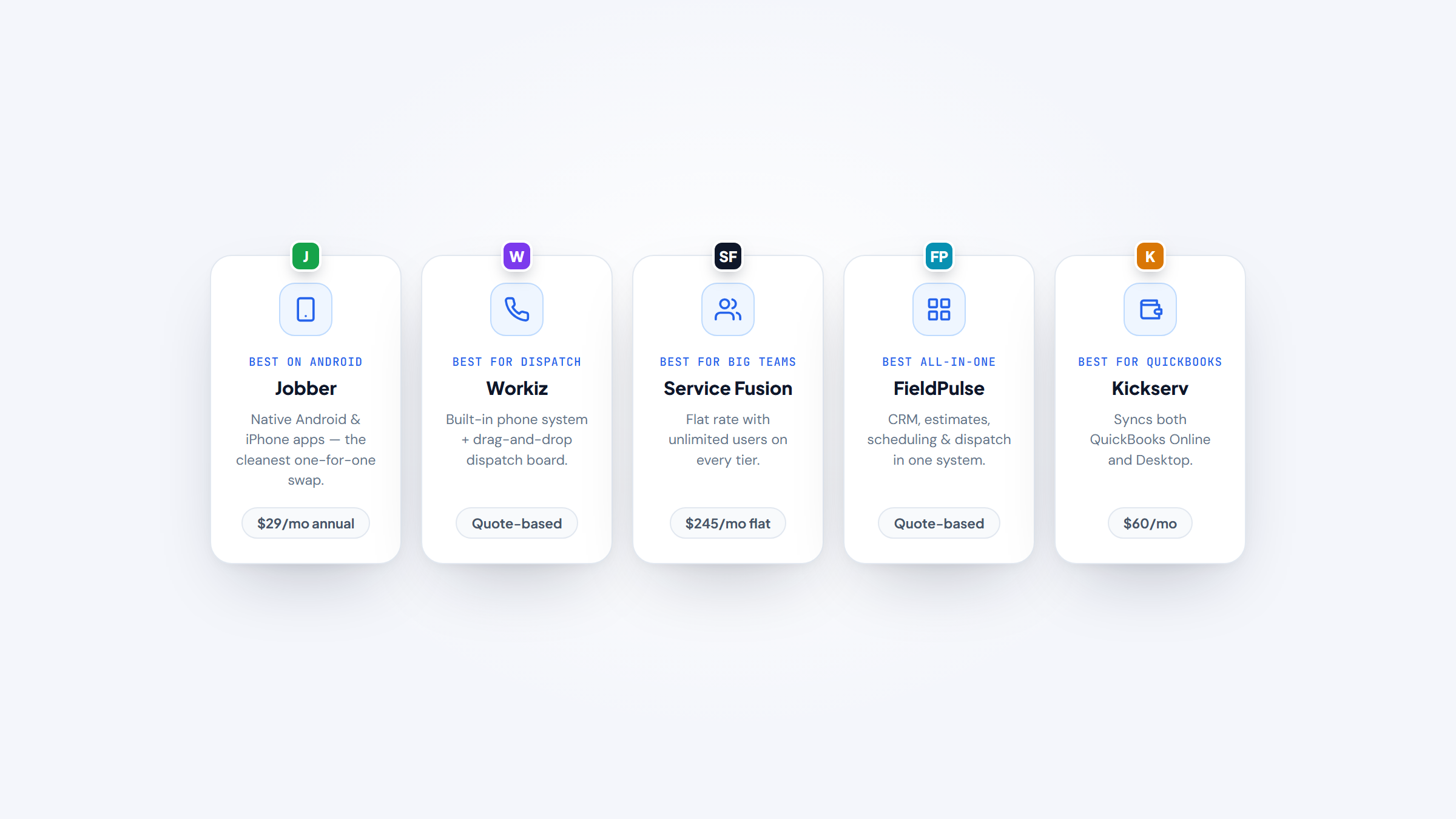
If you run a small HVAC shop, ServiceM8 alternatives are worth a look the moment your phone brand, your team size, or your sales pipeline outgrows what the app does well. ServiceM8 earns its fans: you get quoting, scheduling, and invoicing from your pocket, unlimited users on every paid plan, and pricing that scales by jobs per month rather than per seat. The catch is that the full app is iOS-first, so a tech on a Samsung is stuck with the basics-only ServiceM8 Lite Android app.
The other reason contractors shop around is depth. ServiceM8 is great once a tech is on site, but its customer records and sales pipeline stay light as a shop grows past one or two trucks. This guide walks through ten alternatives to ServiceM8 for HVAC: what each does best, real verified pricing, and honest drawbacks. These ServiceM8 competitors run from free solo apps to enterprise platforms, so you can match a competitor to ServiceM8 to your team size and workflow.
Why Look for ServiceM8 Alternatives?
ServiceM8 isn't a bad app. It's a focused one, and that focus is where contractors eventually bump into limits. Here are the specific reasons HVAC shops start comparing ServiceM8 alternatives.
The first is the phone problem. The full ServiceM8 experience needs an iPhone or iPad, and the Android version is deliberately stripped down. One long-time user summed it up on Reddit as a "perfect 10 if it supported Android," and described switching to a Samsung as "a huge pain." For a crew that isn't all on iPhones, that's a daily friction you can't fix inside the app.
The second is pre-field depth. ServiceM8 shines during the job, but its CRM and sales pipeline are thin before the truck rolls. A growing field business in one Reddit thread called it great for on-site work yet "clunky" for managing leads and admin as they scaled. If your office is chasing quotes and follow-ups, that gap slows you down. Turning more of those leads into booked jobs is its own project, and our guide to generate more HVAC leads covers the marketing side that software alone won't solve.
The third is pricing shape. ServiceM8 charges by jobs per month (Free 30, Starter $29, Growing $79, Premium $149, Premium Plus $349 for 1,500-plus jobs, then 20 cents per job). That's efficient for a low-volume solo, but a high-volume shop can jump tiers fast. If headcount is what's growing, a flat unlimited-user tool may cost less.
Most of these shops are genuinely small, which is why lean, phone-first apps matter. The SBA Office of Advocacy reports that 82.3% of US small businesses, about 29.8 million firms, are solo, nonemployer operations. Tools like ServiceM8 exist for exactly that owner, so the right alternative usually means matching your phone, your team size, and your sales workflow, not buying enterprise software you'll never fill.
The Best ServiceM8 Alternatives for HVAC
The ten tools below cover the range HVAC contractors actually consider, from one-truck job apps to unlimited-user platforms. The table gives you the quick read; the reviews under it go deeper on fit, pricing, and drawbacks.
Tool | Best for | Key features | Main limitation | Pricing (from) | Rating |
|---|---|---|---|---|---|
Jobber | Small teams on any phone | Android/iOS apps, client hub, job costing | Texting/costing gated to Grow | $29/mo (annual) | ★★★★½ |
Housecall Pro | Growing residential shops | Online booking, payments, marketing | Pricey at the top tier | $59/mo (annual) | ★★★★½ |
FieldPulse | Small teams wanting one system | Full CRM, tiered estimates, any-device app | No public pricing | Custom | ★★★★½ |
Workiz | Dispatch-heavy shops | Phone system, dispatch board, call tracking | Pricing now hidden | Custom | ★★★★½ |
Kickserv | Small QuickBooks shops | QuickBooks sync, lead tracking, user bundles | Dated interface | $60/mo | ★★★★ |
GorillaDesk | Solo operators on routes | Route scheduling, recurring jobs, low price | Pest/lawn heritage | $49/mo | ★★★★½ |
Procured | Quote-to-paid across trades | Quote-to-paid flow, dispatch, payments | Newer platform | $49/mo | ★★★★½ |
Service Fusion | Established, many-user shops | Unlimited users, full back office, QuickBooks | Higher entry price | $245/mo | ★★★★ |
FieldEdge | Service-agreement HVAC shops | Real-time QuickBooks sync, agreements | No public pricing | Custom | ★★★★ |
Synchroteam | Mobile teams needing routing | Map scheduling, custom work orders, apps | Quote-only, less HVAC-specific | Custom | ★★★★ |
Ratings reflect overall fit for HVAC work, not any single feature. Read the reviews below for where each tool earns or loses those stars against ServiceM8.
Jobber

Best for: Small HVAC teams on any phone
Overview: Jobber runs native apps on both Android and iPhone, so a tech on a Samsung isn't handed a stripped-down version. It keeps the small-shop simplicity people liked about ServiceM8 while dropping the iOS-only wall.
Owner-operators who hit that wall tend to land here first. It's the most direct like-for-like swap on this list.
Key features:
- Native Android and iPhone apps → every tech quotes, books, and invoices from the phone they already carry
- Built-in client hub → customers approve quotes and pay online, cutting phone tag
- Two-way texting and job costing on Grow → you see which jobs actually turned a profit
Pricing: Core is $49 per month month-to-month or $29 per month billed annually for one user; Connect is $139 per month ($99 annual) and Grow $199 per month ($149 annual), with custom pricing above 15 users. Two-way texting, time tracking, and job costing sit on the Grow tier and up.
Pros: works on any phone, clean quoting flow, strong customer self-service
Cons: texting and job costing gated to Grow, add-ons cost extra, thin for large commercial jobs
Why it's a good ServiceM8 alternative: It keeps the simplicity people like about ServiceM8 while removing the iOS-only limitation, so a mixed-phone crew can all work from the same app.
Final verdict: If Android support was your reason for leaving ServiceM8, Jobber is the cleanest one-for-one replacement.
Housecall Pro

Best for: Growing residential HVAC contractors
Overview: Housecall Pro is the polished residential option, and it runs equally well on Android and iPhone. If you left ServiceM8 because your techs run Samsungs, or because you wanted more marketing and payments built in, this is a natural step up.
It's heavier than a bare job app, which is the point once you're past the one-truck stage.
Key features:
- Android and iOS apps with online booking → homeowners schedule themselves and every tech works from the same tools
- Built-in payments and consumer financing → you collect on site and offer monthly plans on big repairs
- Postcard and email marketing → automated reminders bring maintenance customers back
Pricing: Basic is $59 per month billed annually ($79 month-to-month) for one user; Essentials is $149 per month annual ($189 monthly) for five users, and Max is $299 per month annual for eight, plus $35 per extra user. Card processing starts at 2.59%.
Pros: full Android support, strong marketing tools, easy for techs to adopt
Cons: pricey at the top tier, per-user fees on Max, features a solo won't use
Why it's a good ServiceM8 alternative: It closes the Android gap and adds the marketing and payment depth ServiceM8 keeps light, making it one of the more complete ServiceM8 alternatives for a residential shop.
Final verdict: Pick Housecall Pro when you want more than a job app and your work is mostly residential.
FieldPulse

Best for: Small teams wanting one system
Overview: FieldPulse is an all-in-one for small and mid-size HVAC teams that want CRM, scheduling, estimates, and dispatch in one place. It answers the second common ServiceM8 complaint directly: thin customer and pipeline management as you grow.
The customer side is where it pulls ahead of a simple job app.
Key features:
- Full customer records with job history → techs see past service and equipment before they arrive
- Estimates with good, better, best options → you present flat-rate tiers on the spot
- Android and iOS field app → the crew books and updates jobs from any device
Pricing: FieldPulse is quote-based, priced by seat (full-access versus field-only). Add-ons like Engage VoIP and Operator AI dispatch are quoted separately, so ask for a written breakdown before you commit.
Pros: deep CRM, works on any phone, flexible seat model
Cons: no public pricing, add-ons stack up, more to learn than a basic app
Why it's a good ServiceM8 alternative: It fixes both ServiceM8 gaps at once, Android support and a real CRM, which makes it one of the stronger ServiceM8 alternatives for a shop scaling past a couple of trucks.
Final verdict: Choose FieldPulse if you're outgrowing a simple job app and want the office side to grow with you.
Workiz

Best for: Dispatch-heavy HVAC and appliance shops
Overview: Workiz is built dispatch-first, with a phone system attached, so booking calls turn straight into jobs on the board. Shops that found ServiceM8 light on call handling and high-volume scheduling tend to look here.
The phone-to-job flow is its real differentiator against a job-first app.
Key features:
- Built-in phone and call tracking → you see which ads drive booked jobs
- Drag-and-drop dispatch board → the coordinator moves 20 jobs across techs in seconds
- Android and iOS apps → field techs update status without calling the office
Pricing: Workiz is now quote-based across Standard, Pro, and Ultimate; the first five users are included, and extra members run $55 per month (Standard) or $65 per month (Pro), billed annually. The Genius Answering phone system is sold separately.
Pros: strong dispatch, real phone system, any-device apps
Cons: pricing now hidden, phone add-on costs extra, more than a solo needs
Why it's a good ServiceM8 alternative: It gives the dispatch and call-tracking muscle ServiceM8 lacks, so it suits a growing team that lives on the phone.
Final verdict: Workiz fits a busy dispatch operation more than a one-truck owner.
Kickserv

Best for: Small QuickBooks-based HVAC shops
Overview: Kickserv is straightforward CRM and job management for small shops that keep their books in QuickBooks. It hits the same low-friction note as ServiceM8 while running on Android too.
If accounting drives your setup, that QuickBooks link does a lot of quiet work.
Key features:
- QuickBooks sync (Online and Desktop) → jobs and payments post to your books without re-entry
- Simple job and lead tracking → office staff follow a job from request to paid
- Android and iOS apps → techs see the day's schedule from the field
Pricing: Start is $60 per month for five users, Run $119 per month for ten, and Scale $199 per month for twenty, with 20% off annual billing. QuickBooks Desktop sync adds $50 per month on the Run tier.
Pros: user-count bundles, tight QuickBooks link, low learning curve
Cons: dated interface, fewer field features, QuickBooks Desktop costs extra
Why it's a good ServiceM8 alternative: It matches ServiceM8's simplicity, adds Android, and leans on QuickBooks, which suits a small shop that already runs its accounting there.
Final verdict: Kickserv is a fair swap for a small QuickBooks shop that wants the basics done well.
GorillaDesk

Best for: Solo operators running routes
Overview: GorillaDesk grew up in pest, lawn, and pool service, so its strength is route-based scheduling and recurring visits at a low monthly price. HVAC contractors can run it, but recurring-maintenance routes fit it better than one-off repair calls.
Go in knowing it isn't HVAC-native; the estimating side is lighter than the tools built for the trade.
Key features:
- Route-based scheduling → you batch nearby PM visits to cut windshield time
- Recurring job automation → maintenance agreements re-book themselves
- Android and iOS apps → techs run the day's route from the phone
Pricing: Basic is $49 per month ($539 per year), Pro $99 per month ($1,089 per year), and Growth $149 per month ($1,639 per year). The SMS add-on is $5 per month per number plus message credits.
Pros: low entry price, strong for routes, free migration help
Cons: pest and lawn heritage, lighter HVAC estimating, SMS costs extra
Why it's a good ServiceM8 alternative: For a solo HVAC operator built around maintenance routes, it's a cheap, simple ServiceM8 alternative that runs on Android.
Final verdict: Consider GorillaDesk only if recurring routes, not big repair jobs, are the core of your day.
Procured

Best for: Quote-to-paid across the trades
Overview: Procured is a quote-to-paid platform for HVAC, plumbing, electrical, and roofing that puts quoting, scheduling, dispatch, payments, and team chat in one place. It targets the pre-field sales side that ServiceM8 keeps thin.
For a shop where the estimate-to-cash path is the bottleneck, that focus lands.
Key features:
- Quote-to-paid workflow → a job moves from estimate to payment without switching apps
- Built-in dispatch and team chat → the crew coordinates changes without side texts
- Card and ACH payments → customers pay by card (2.9% plus 30 cents) or ACH (0.8%)
Pricing: Solo is $49 per month for one user, Team $75 per month for up to five, and Business $145 per month for fifteen (then $9 per user per month, or $90 per user per year on annual billing). The 14-day Business trial needs no card, and Stripe processing fees are billed separately.
Pros: clear quote-to-paid flow, flat team pricing, no contract
Cons: newer platform, smaller add-on ecosystem, spread across several trades
Why it's a good ServiceM8 alternative: It strengthens the quoting and payment pipeline ServiceM8 leaves light, so it's a practical ServiceM8 alternative for a sales-driven shop.
Final verdict: Procured suits a trades business that wants the estimate-to-cash path tight rather than bolted on.
Service Fusion

Best for: Established shops with many users
Overview: Service Fusion charges a flat rate with unlimited users on every tier, which changes the math once you have more than a handful of people. Shops that outgrew ServiceM8's simplicity and want everyone on the system without per-seat fees look here.
The interface shows its age, but the pricing model is the draw.
Key features:
- Unlimited users on all tiers → you add office staff and techs without new seat costs
- Estimating, dispatch, and invoicing in one → the office runs a job end to end
- QuickBooks integration → financials sync without duplicate entry
Pricing: Starter is $245 per month ($208 annual), Plus $382 per month ($325 annual), and Pro $627 per month ($533 annual), all with unlimited users. ServiceCall.ai VoIP and GPS fleet tracking are paid add-ons on every tier, including Pro.
Pros: unlimited users, full back office, no per-seat creep
Cons: higher entry price, dated interface, add-ons cost more
Why it's a good ServiceM8 alternative: For a bigger team, its flat unlimited-user pricing can beat ServiceM8's job-count tiers, making it a cost-smart ServiceM8 alternative at scale.
Final verdict: Service Fusion pays off when headcount, not job volume, is what drives your bill.
FieldEdge

Best for: Service-agreement HVAC shops on QuickBooks
Overview: FieldEdge is a long-standing HVAC and plumbing platform known for deep, real-time two-way QuickBooks sync and strong service-agreement management. Shops that need tight accounting and recurring maintenance contracts find more here than ServiceM8 offers.
It's built for the trade, so agreements and equipment history aren't afterthoughts.
Key features:
- Real-time two-way QuickBooks sync → the office and books stay matched as jobs close
- Service-agreement tracking → recurring PM contracts renew and bill on schedule
- Technician mobile app → techs see customer and equipment history on site
Pricing: FieldEdge is quote-based across Select, Premier, and Elite, with mobile licenses set by tier. Add-ons like Proposal Pro and MarketingEdge are priced on request, so get a full quote before comparing.
Pros: deep QuickBooks sync, strong agreements, HVAC-native design
Cons: no public pricing, per-license mobile limits, steeper setup
Why it's a good ServiceM8 alternative: It adds the accounting depth and service-agreement handling ServiceM8 keeps light, which suits an established HVAC shop.
Final verdict: FieldEdge is worth a look when QuickBooks and maintenance contracts run your business.
Synchroteam

Best for: Mobile teams needing scheduling control
Overview: Synchroteam, now part of Nomadia Group, is a per-user field-service tool with solid scheduling, mapping, and mobile work orders. It suits teams that want more routing and territory control than ServiceM8 gives, without jumping to an enterprise suite.
It's less HVAC-specific than the trade-built tools, so weigh that against the scheduling strength.
Key features:
- Map-based scheduling → the dispatcher assigns jobs by location to cut drive time
- Custom mobile work orders → techs capture the exact fields your jobs need
- Android and iOS apps → the crew works offline and syncs when back in range
Pricing: Synchroteam is now quote-based and priced per user, monthly or annual; the first administrator license is free but needs at least one paid mobile worker. Billing is month-to-month and prorated.
Pros: strong scheduling, any-device apps, flexible per-user model
Cons: quote-only pricing, less HVAC-specific, smaller US footprint
Why it's a good ServiceM8 alternative: It gives the routing and mobile control ServiceM8 lacks on Android, making it a workable ServiceM8 alternative for a mobile-heavy team.
Final verdict: Synchroteam fits a team that prizes scheduling and mapping over HVAC-specific extras.
How Much Do ServiceM8 Alternatives Cost?
Price is where these tools split into two camps. Some publish clear monthly rates you can compare on the spot; others moved to custom quotes, so you'll book a call to get a number. The table below lists the entry price for each, with the billing basis that actually drives your bill.
Tool | Entry price | Billing basis | Free trial |
|---|---|---|---|
Jobber | $29/mo (annual) | Per plan, 1 user (bundles to 15) | 14 days |
Housecall Pro | $59/mo (annual) | Per plan, 1 user (Max adds seats) | 14 days |
FieldPulse | Custom quote | Per seat (full vs field-only) | Yes, on request |
Workiz | Custom quote | 5 users included, then per user | Yes, on request |
Kickserv | $60/mo | Per plan, 5 users included | 14 days |
GorillaDesk | $49/mo | Per plan, flat monthly | 14 days |
Procured | $49/mo | Per plan, user tiers (1/5/15) | 14 days |
Service Fusion | $245/mo | Flat, unlimited users | Yes, on request |
FieldEdge | Custom quote | Per technician, by tier | Yes, on request |
Synchroteam | Custom quote | Per user | 14 days |
A few patterns matter for HVAC shops. Watch the billing basis, not just the sticker: a $49 per-user tool gets expensive with eight techs, while Service Fusion's flat $245 per month with unlimited users can be cheaper past five or six people. Most public-price tools bill less on annual plans, so monthly costs more, and quote-based tools like FieldPulse and FieldEdge only show their real price after a demo. Before you compare any of these, make sure your own rates hold up; our HVAC pricing guide walks through flat-rate math so the software you buy pays for itself.
Migrating From ServiceM8 Without Losing Data
Switching sounds worse than it is if you do it in order. The goal is to move your customer list, open jobs, and recurring work cleanly, then run both systems briefly so nothing slips. Here's the sequence that keeps a live shop running during the change.
- Export your ServiceM8 data first, customers, contacts, job history, and any recurring jobs, to CSV so you have a clean copy before you touch the new tool.
- Clean the list on the way out: merge duplicate customers, fix phone numbers, and drop dead leads so you don't import junk.
- Import into the new tool using its guided importer, and map the fields (name, address, equipment notes) carefully so nothing lands in the wrong column.
- Rebuild recurring work by hand, since PM schedules and service agreements rarely migrate cleanly; set them up fresh so the first renewal fires correctly.
- Run both systems in parallel for one to two weeks, entering new jobs in the new tool while ServiceM8 stays read-only, then cut over once a full week runs without a hitch.
Most of these tools offer guided onboarding, and GorillaDesk and Housecall Pro include migration help, so ask what's covered before you start. Budget a slow week rather than a busy one, and tell your techs the switch date up front so the field side moves with the office.
How to Choose the Right ServiceM8 Alternative
The right pick comes down to three questions: what phones your crew uses, how many people touch the system, and whether your bottleneck is on-site work or the sales pipeline before it. Match those to the tools above and the list gets short fast.
For a solo operator or a small crew that just needs Android, Jobber is the cleanest swap, and Kickserv fits if your books already live in QuickBooks. If maintenance routes are your day, GorillaDesk is the cheapest route-first option, though it isn't HVAC-native. Growing residential shops that want marketing and payments built in should start with Housecall Pro.
For a bigger team, the math changes. Service Fusion's unlimited-user pricing beats per-seat tools once you're past five or six people, while FieldPulse and FieldEdge add the CRM and service-agreement depth that ServiceM8 keeps thin. If dispatch volume and phone handling are the pain, Workiz or Synchroteam give you the scheduling control a job-first app can't. It helps to weigh two or three side by side, so compare these against similar roundups like our Jobber alternatives and FieldPulse alternatives guides before you commit.
One more factor sits behind all of this: staffing. The NFIB's May 2026 jobs report found 27% of small-business owners had unfilled skilled openings, and 46% of those hiring saw few or no qualified applicants. You can't hire your way out of admin, so software that cuts office hours and keeps techs productive matters more when you're short-handed. Pairing the right tool with a solid marketing plan and a working HVAC CRM software setup keeps the schedule full without adding headcount you can't find.
Making the Switch Count
Leaving ServiceM8 is worth it when a real limit is costing you, an Android crew stuck on the Lite app, a sales pipeline the office can't manage, or job-count tiers that keep climbing. Start from your bottleneck, not the feature lists. If the problem is phones, Jobber or Housecall Pro solve it with the least disruption. If it's team size, Service Fusion's flat pricing usually wins. If it's the pre-field CRM gap, FieldPulse or FieldEdge close it.
Whatever you pick, the software is only half the job. Filling the schedule still comes down to getting found and staying in front of past customers, which is where HVAC SEO and steady HVAC marketing do the work software can't. Choose the tool that fixes your specific ServiceM8 pain, run a proper migration, and give your techs a week to settle in.
Frequently asked questions
Yes, and it's the most common reason people switch. Jobber, Housecall Pro, FieldPulse, Workiz, Kickserv, GorillaDesk, and Synchroteam all run full native Android and iOS apps, so a mixed-phone crew works from the same tools. Unlike ServiceM8, none of them limit Android users to a stripped-down version, which makes any of them a safe swap if the phone problem is what pushed you to look.

Still comparing HVAC software?
Filter 159 vetted tools by pricing, business size, and the features your shop actually needs. No signup, no sales calls.